Decoy Vault: a fake passcode that opens a harmless vault
A Decoy Vault lets you set a second, fake passcode. Entering it opens a separate vault with harmless content, while your real vault stays hidden. In CAL (our app), Decoy Vault is free.
How it works
CAL checks every passcode you enter. Your real PIN opens your real vault; a fake passcode opens its
own decoy vault, with its own photos, files, contacts and notes. If someone forces you to unlock
CAL, you enter the fake passcode instead. It works on CAL's passcode screen and on the calculator
disguise, where you type it and press =. While a decoy vault is open, CAL's Security
settings are hidden, so the decoy settings cannot be found from there.
Set it up in CAL
- Open CAL with your real PIN, then tap the round profile picture at the top of the screen to open Profile.
- Go to Advanced Protection → Decoy Vault and turn on Turn on Decoy Vault.
- Type a 4-digit fake passcode, then type it again to confirm. It must be different from your real PIN.
- Leave CAL, open it again with the fake passcode, and add some ordinary content to the decoy vault.
To add another fake passcode, tap Add Fake Passcode on the Decoy Vault screen. Each fake passcode opens its own decoy vault.
Tips
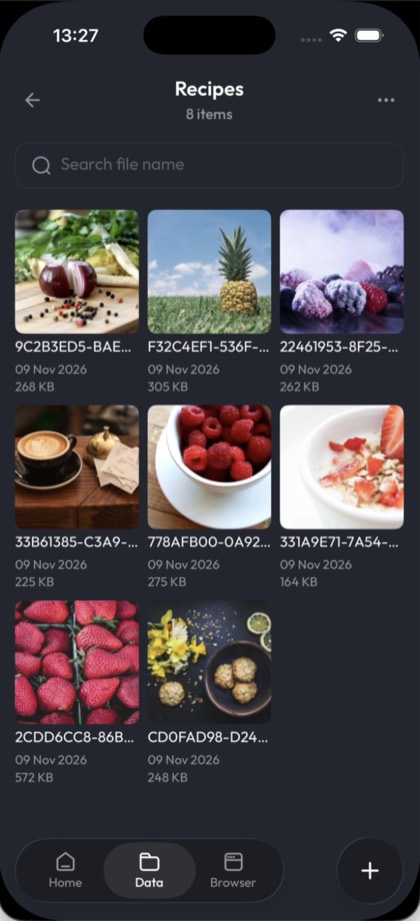
- Make it look used. Add ordinary photos such as food, pets, places and screenshots, plus a few notes and contacts. An empty vault is easy to doubt.
- Add to it now and then, so everything in it is not from the same day.
- Practise entering the fake passcode, so you do not hesitate when it matters.
Limits
- It does not erase anything. Your real vault stays on your iPhone, unchanged, and opens again with your real PIN.
- It hides your real vault, not CAL itself. Someone who knows that CAL has a Decoy Vault may not be fooled.
- Decoy vaults are not included in iCloud Backup & Sync, so a decoy vault exists only on that iPhone.
- Deleting a fake passcode also deletes everything in its decoy vault.
FAQ
Is Decoy Vault free?
Yes. Decoy Vault is part of CAL's free plan, and so are the calculator disguise, Facedown Lock, the Panic shake and disguise icons. No ads. The free plan has storage limits; Pro removes them, and you can buy it once as a Lifetime purchase, or subscribe monthly or yearly.
Can the decoy vault have its own files?
Yes. Each fake passcode opens its own decoy vault, with its own photos, files, contacts and notes. What you add there does not appear in your real vault, and your real vault's content does not appear in the decoy vault.
What happens to the real vault when the decoy passcode is used?
Nothing. It is not shown, changed or erased; it stays on your iPhone and opens again with your real PIN. While the decoy vault is open, CAL's Security settings are hidden.